$19.95
US $19.95
US
alternate download sites
|
Custom
Output
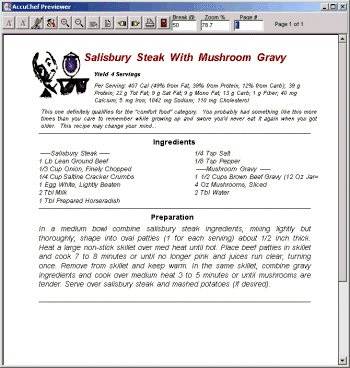
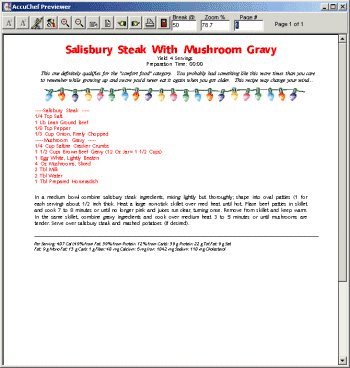
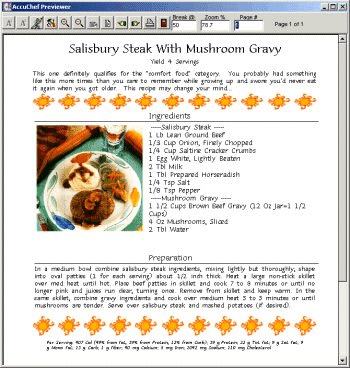
Examples of some included customized printouts:
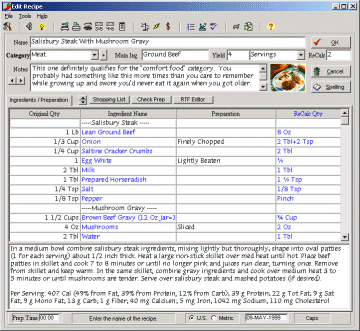
With the visual report designer you can format your output any way you want. The CD includes a large clipart gallery that contains hundreds of images you can add anywhere on your reports. Ingredients can print out in a single column or multiple columns, next to the preperations text or anywhere you want, it's all up to you. The help file contains a tutorial on how to copy existing printouts and modify them. The Preview page displays how your printed output will look and allows you to jump directly to the report editor too! Example of a "Standard Printout":
The previewer does more then just show you how your printouts will look. From here you can also modify the fonts and colors that your printouts will use. Click on the "A1" speed button to pick which of your currently installed fonts to use for the titles and headings. Click the "A2" speed button to define which font to use for the body of the printout. You can also change the margins, specify a subtitle, optional print lines, layout styles, borders, text justification (left, center, right or blocked) of standard printouts or design your own creation! |

|